
How to Calculate Sales Incentives in Excel (and Where It Breaks)
A step-by-step way to calculate sales incentives in Excel — mapping, slabs, gates and payout — and the point at which a spreadsheet stops being safe to run on.
You can calculate sales incentives in Excel by exporting the period's sales, mapping each sale to a rep, applying the slab or rate, applying the qualifier gates, and summing the payout per person. It works for one plan and a few reps. It starts to fail — quietly, through attribution errors, version chaos and un-clawed-back reversals — once plans, transactions and payees multiply.
The five-step calculation
| Step | In Excel |
|---|---|
| 1. Export sales | Pull the period's invoices from the ERP or DMS |
| 2. Map to rep | Lookup on customer or territory to credit each sale |
| 3. Apply slabs | Apply the rate, tiers and accelerators to achievement |
| 4. Apply gates | Zero out reps who miss collections, beat or range |
| 5. Sum payout | Total the payout per rep, ready for approval |
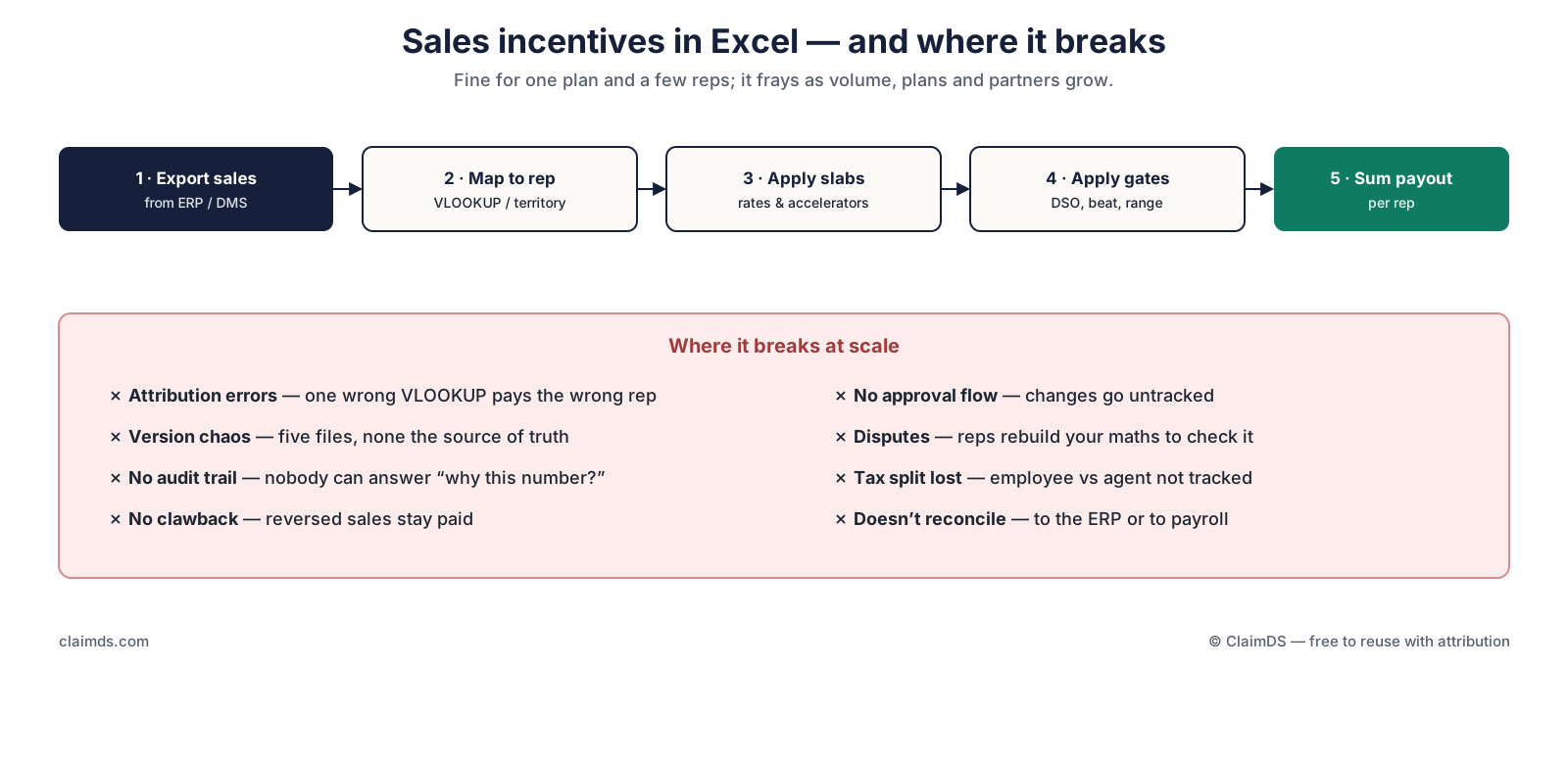
Source: ClaimDS — free to reuse with a link back to this article.
Why Excel is the default
An incentive plan is a policy document — quotas, slabs, accelerators, caps, qualifier gates, clawback rules — and none of that has a native home in a general ledger. So the plan lands where every ad-hoc calculation lands: a spreadsheet. Excel is flexible, free and already on every desk, which is exactly why it becomes the incentive-calculation layer by default. There is nothing wrong with starting there. The problem is staying there.
Where it breaks
The spreadsheet does not fail loudly; it frays. The common failure points, in order of how often they bite:
- Attribution errors. One wrong lookup pays the wrong rep, and nobody notices until the rep who didn't get paid complains.
- Version chaos. Five copies of "incentives_final_v3", and no single source of truth.
- No audit trail. When a rep asks "why is my payout this number?", there is no record of the rule that produced it.
- No clawback. A sale that later reverses stays paid, because the spreadsheet does not know the sale came back — the same reversal problem a rebate program has.
- No approval flow. Changes to the file are untracked; a number can move between drafts with no sign-off.
- The tax split is lost. Whether a payee is an employee or an external partner changes the treatment, and a spreadsheet rarely tracks it — a distinction the tax pillar sits behind.
None of these is a formula error you can fix with a better formula. They are structural — the spreadsheet has no attribution engine, no audit trail and no approval flow, so errors accumulate faster than anyone can catch them.
When to move off the spreadsheet
You do not need to abandon Excel on day one. You need to move when the signals appear:
- The numbers stop reconciling to the ERP or to payroll.
- Reps routinely rebuild your maths to dispute a payout.
- A reversed sale stays paid because there is no clawback.
- Nobody can answer "why is this payout this amount?" from the file.
At that point the fix is not a bigger spreadsheet; it is an auditable calculation that holds the plan as a real object, attributes each sale, applies the gates and caps, runs an approval flow, and reconciles back out — the same engine that runs channel rebates.
Read next
- How to design a sales incentive plan — the plan the calculation runs on.
- Fixed vs variable pay and OTE and ASM and field-force incentive structures.
- Revenue leakage in rebate programs — the same leaks, on the channel side.
- Incentive management software — what replaces the spreadsheet.
ClaimDS runs the whole calculation — attributed achievement, slabs, gates, caps, approval, payout and clawback — in one auditable place, and reconciles back to your ERP and payroll.
<!-- TODO: confirm capability wording with founder -->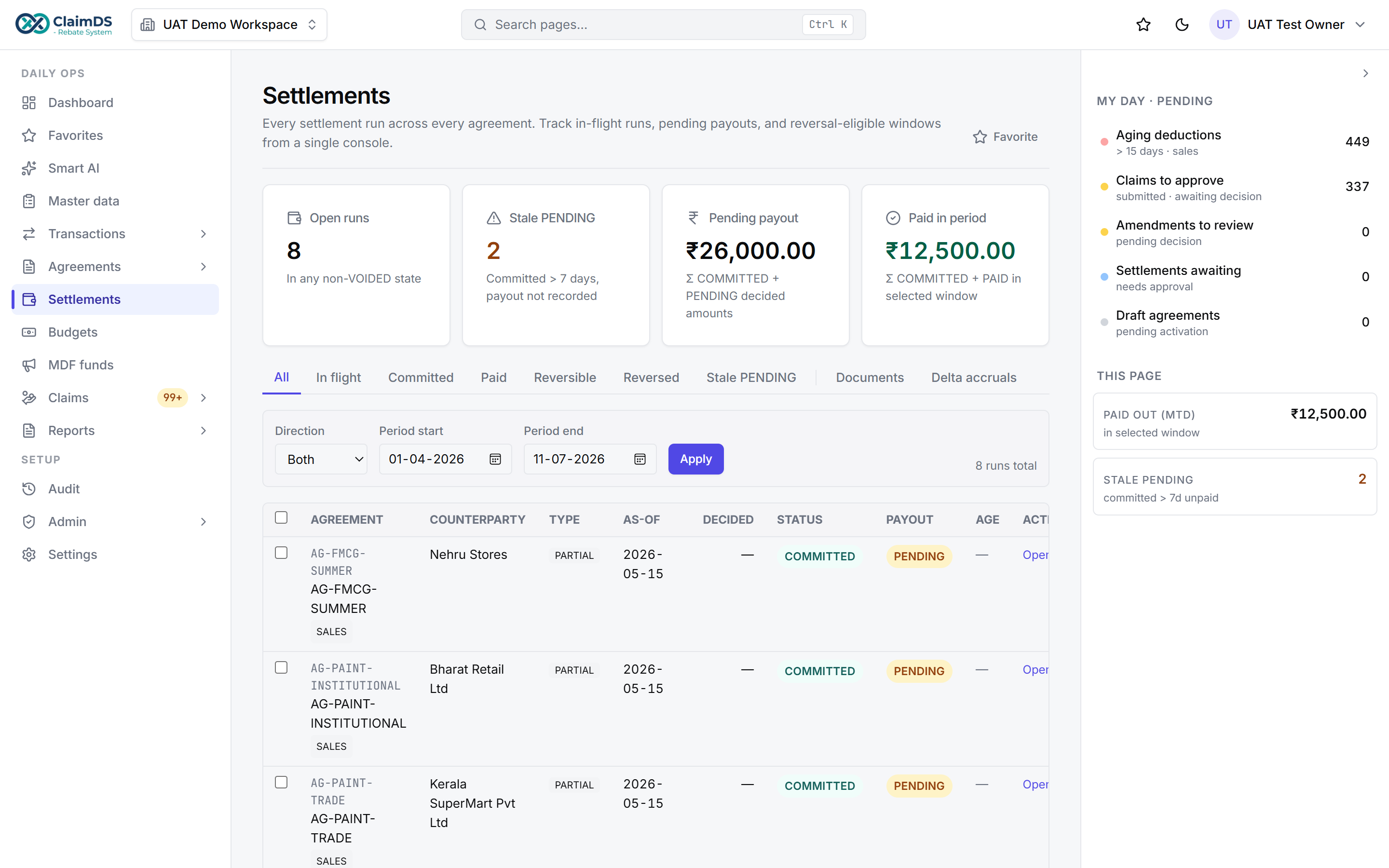
The ClaimDS settlement view — payouts calculated, approved and settled in one place.
Book a demo to see the calculation you run in Excel, run in one auditable place instead.
Frequently asked questions
How do you calculate sales incentives in Excel?
Export the period's sales, map each sale to a rep with a lookup on customer or territory, apply the incentive rate or slab to each rep's achievement, apply any qualifier gates, then sum the payout per person. It works for a single plan and a handful of reps, but it strains as plans, reps and partners multiply.
Why do companies calculate sales incentives in Excel?
Because an incentive plan is a policy — quotas, slabs, gates and clawback rules — that has no native object in an ERP, and a spreadsheet is the fastest place to model it. Excel is flexible and free, so it becomes the default incentive-calculation layer until volume, disputes and reconciliation make it unreliable.
What are the risks of calculating incentives in Excel?
The main risks are attribution errors from a wrong lookup, version chaos across multiple files, no audit trail to explain a payout, no built-in clawback for reversed sales, and no reconciliation to the ERP or payroll. At scale these turn into disputes and quiet overpayment that a spreadsheet cannot prevent.
Is Excel enough to run sales incentives?
For one simple plan and a few reps, yes. It stops being enough when you run several plans, thousands of transactions, qualifier gates, clawbacks, and a mix of employee and partner payees — because a spreadsheet has no approval flow, no audit trail and no reliable attribution, so errors accumulate faster than anyone can catch them.
When should you move sales incentives off a spreadsheet?
Move when the numbers stop reconciling, when reps routinely rebuild your maths to dispute a payout, when a reversed sale stays paid because there is no clawback, or when nobody can answer 'why is this payout this amount?' from the file. Those are the signals that the calculation needs an auditable system, not a bigger spreadsheet.
See ClaimDS on your own claims data
A 30-minute walkthrough tailored to how your channel actually settles claims.
Related posts

ASM and Field-Force Incentive Structures for Indian Distribution
How to structure incentives across a field sales hierarchy — sales officer, ASM and RSM — in Indian distribution, so each tier is paid on the right base.
Paying C&F and DSA Partners: Commission for Carrying-and-Forwarding and Direct-Selling Agents
How carrying-and-forwarding (C&F) agents and direct-selling agents (DSA) are paid commission in India — two external partner types, clearly explained.
Channel Partner and Sales-Agent Commission in India: A Practical Guide
How to pay commission to external channel partners and sales agents in India — the agreement, the invoice, the payout and the tax split from an employee incentive.