Changing a claim after submission
ClaimDS has no amend-a-claim flow — a claim freezes when submitted. To change it you cancel and re-raise, except for the awaiting-info round-trip.
A natural question once a claim is in: how do I amend it? The honest answer is that ClaimDS has no amend-a-claim workflow. Unlike an agreement — which has an amendment queue — a claim freezes the moment it's submitted. Changes happen by cancelling and re-raising, which keeps every version a clean, separately-approved record.
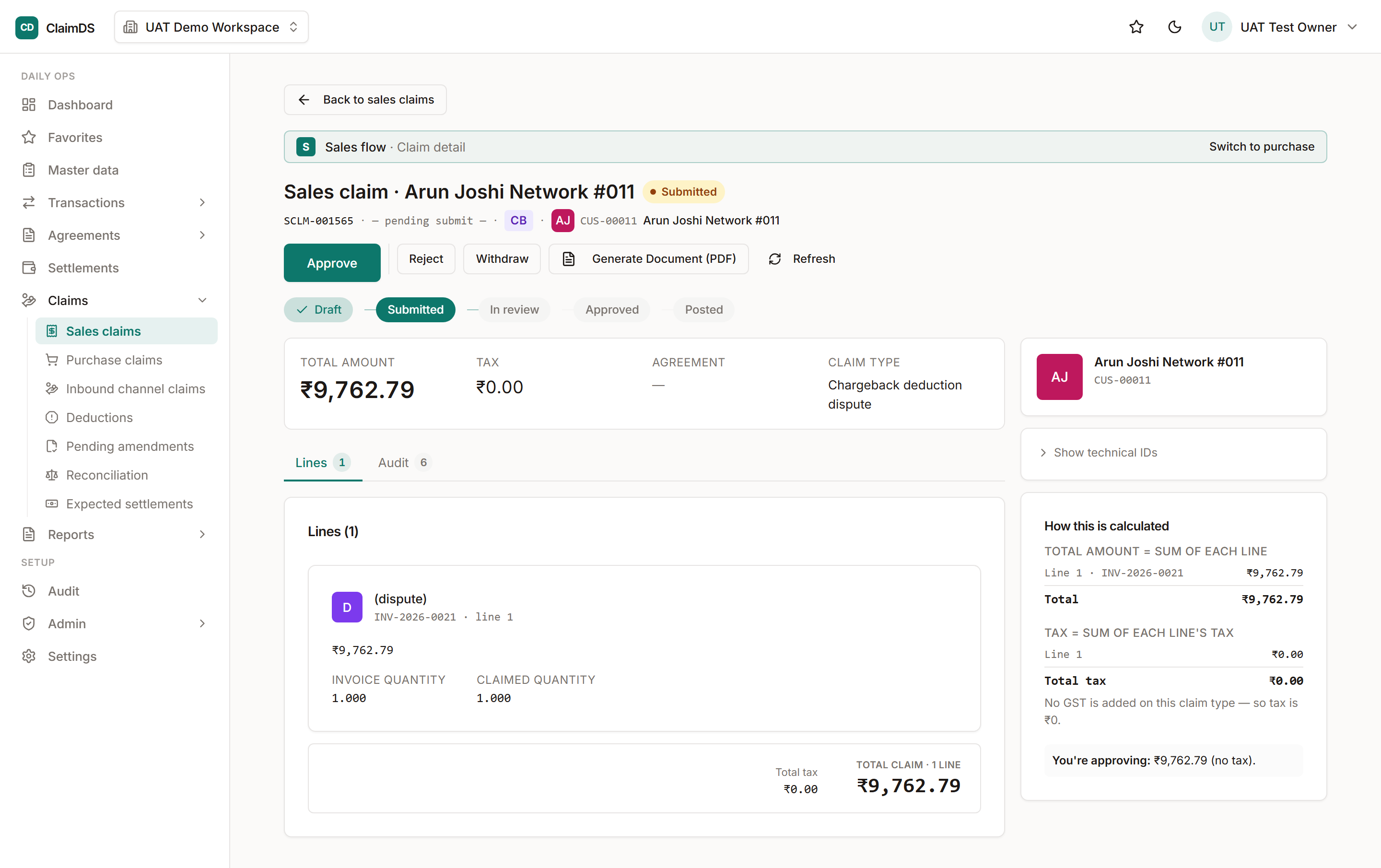
Once submitted, a claim's lines are read-only — you withdraw or cancel rather than edit.
What you can still edit
Only a draft or a rejected claim can have its lines and tax changed — those are the states where nothing has been committed to review. The moment a claim is submitted, and through approved and posted, its figures are read-only.
To change a submitted claim — cancel and re-raise
If a submitted, approved or posted claim is wrong, you don't edit it — you cancel it and raise a fresh one. Cancelling a posted claim reverses its accrual automatically, and the new claim goes through approval on its own. The old claim and the new one both stay on the record.
The one exception — awaiting info
There's a single round-trip that isn't a cancel: awaiting info. If a reviewer needs more before deciding, the claim comes back to you, you add the evidence, and you resubmit. That's not editing the claim's figures — it's supplying support for the figures already there.
Why it works this way
A submitted claim is a financial assertion under review. Freezing it — and making every change a new, traceable claim — is what keeps the audit trail honest. It's the same principle as how ClaimDS handles changes everywhere else: edit forward, never quietly rewrite.
Related
Frequently asked
Is there an amend-a-claim approval flow like agreements have?
No. Agreements have an amendment queue; claims don't. A submitted claim is frozen — to change it you cancel and raise a fresh one, so each version is its own traceable record.
Which claim states can I still edit?
Only draft and rejected claims. Their lines and tax can still be changed. Submitted, awaiting-info, approved and posted claims are all read-only.
How do I correct an approved or posted claim?
Cancel it and raise a new one. Cancelling a posted claim reverses its accrual automatically, and the new claim goes through approval on its own.
Still stuck?
Book a demo and we'll walk through it on your own data — or just talk to us.